This page explains how to grant users specific permissions to your organization on Syself Autopilot.
## Video walkthrough
## Text instructions
On the Syself ID dashboard, enter the [**Authorizations**](https://id.syself.com/ui/console/authorizations) tab to give users the required permissions.
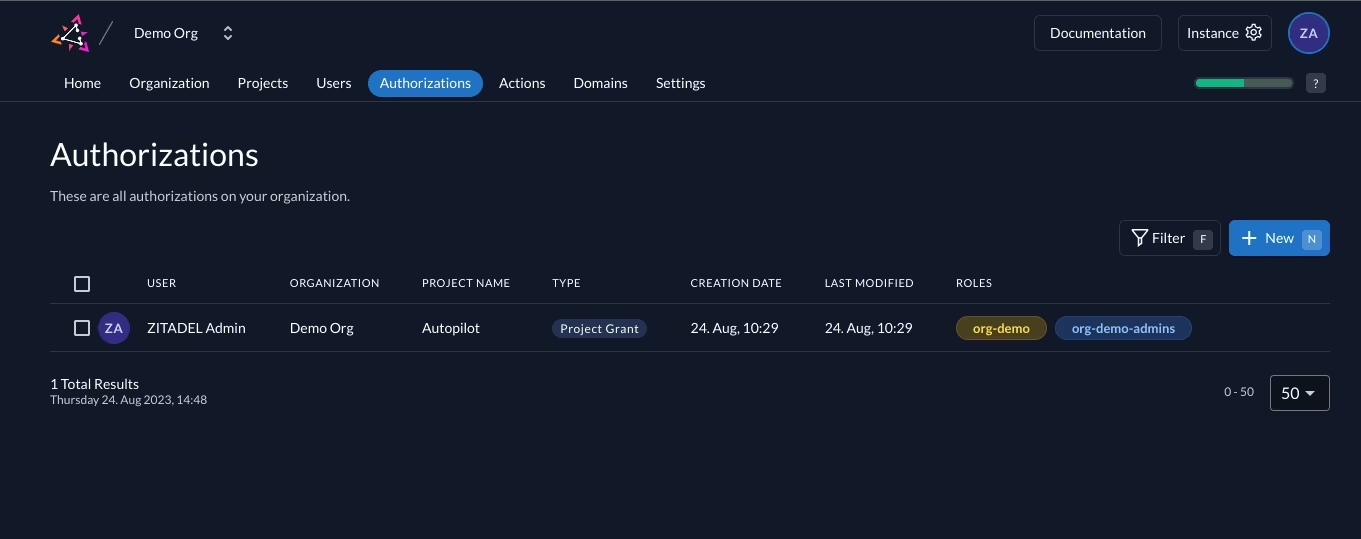
Choose **+ New** to add an Authorization.
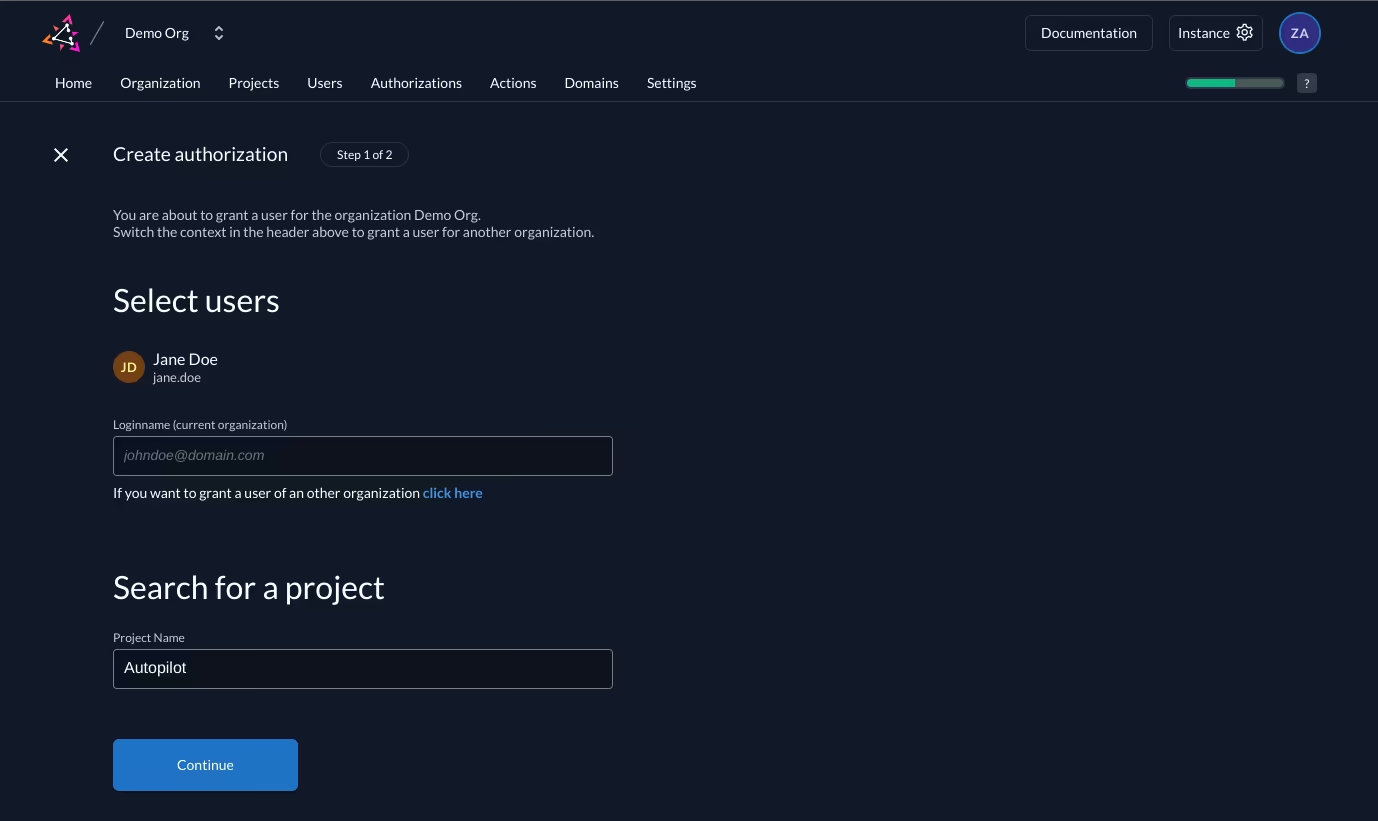
Fill in the information:
- Select Users: You can choose several users.
- Search for a project: Choose "Autopilot".
And click on **Continue**.
### Selecting the Roles
Select the roles you want to be added to the grant:
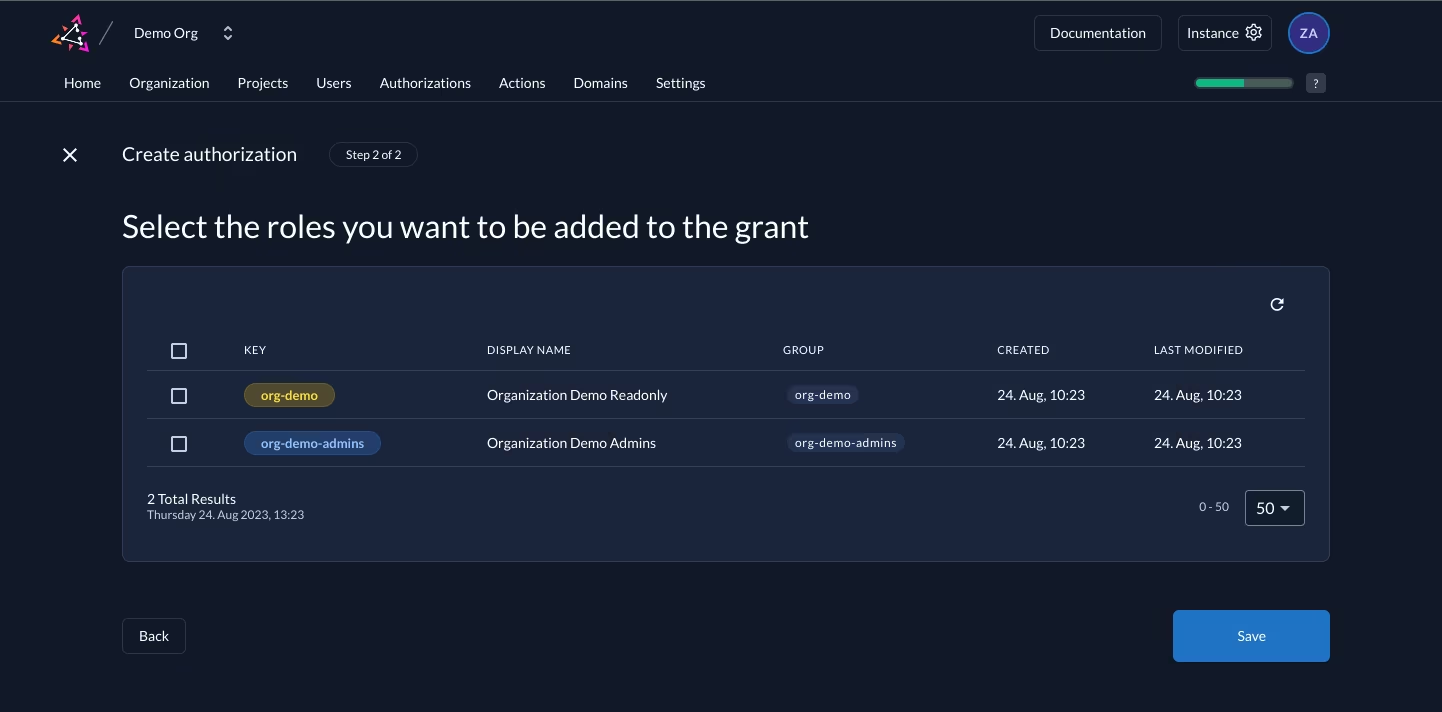
- org-: This grants read-only access to Syself Autopilot.
- org--admin: This grants admin access to Syself Autopilot.
Hit the save button.
If you face issues during any of these steps, please contact the Syself support.